

To build a nanny reference list, collect a few childcare references per top candidate, record each reference's contact details and employment history, and run a short scripted phone or email check before you make any offer. Here is what to capture for each reference right away:
- Reference name and role (parent, daycare supervisor, lead teacher)
- Relationship to candidate (direct employer, classroom supervisor)
- Phone and email, plus best time to contact
- Employment dates and ages of children cared for
- Primary duties and reason for leaving
- Permission to contact and retain their comments
Nannyhire provides ready-to-use templates and scoring tools that map directly to these fields, so you can track every candidate in one place. If your nanny will drive your children, pair the reference check with a DMV record verification as well.
Table of Contents
- Why do reference checks reveal things a background check cannot?
- Who makes a credible reference, and how many should you ask for?
- What contact and employment fields should you collect for each reference?
- What should you say on a reference call, and which questions get the best answers?
- How do you score reference answers and spot red flags?
- When should you check references, and how do you store the results?
- Printable reference-check form and hiring checklist
- Key Takeaways
- The part most families skip — and why it costs them
- Nannyhire takes the manual work out of reference checks
- Useful sources and templates
Why do reference checks reveal things a background check cannot?
A criminal background check tells you whether a candidate has a record. It tells you nothing about how she handles a toddler's meltdown at 7 AM, whether she shows up on time when no one is watching, or how she communicates when something goes wrong. Reference checks reveal temperament, communication style, and how a caregiver performs in an unmonitored home — the exact qualities that determine whether your children are safe and happy day to day.
"A well-run reference check is nearly as important as the interview because you are hiring someone who will often be unsupervised with your children." — CanadianNanny.ca
Consider this scenario: a candidate passes a background check cleanly, but two references independently mention she frequently called out on Mondays and struggled to follow the family's screen-time rules. Neither fact appears in any database. Only a reference call surfaces it.
Pro Tip: Run reference checks after a successful interview but before a conditional offer. If driving is required, pair the reference check with a professional background check and a DMV records review.
Who makes a credible reference, and how many should you ask for?

Ask for several non-related childcare references per top candidate, and prioritize families the applicant worked for directly in a childcare role. Daycare supervisors and lead teachers are strong alternatives. At least one reference should be recent.
For less-experienced candidates, these substitutes are acceptable:
- Camp directors or after-school program supervisors
- College instructors from early childhood education courses
- Volunteer supervisors at youth organizations
Personal references — friends, neighbors, family members — carry almost no weight. If a candidate offers only social-media contacts or cannot produce a single childcare reference, treat that as a red flag before you invest more time.
Pro Tip: Request references at the same time you schedule the second interview. Candidates who need to track down contacts will have time to do so, and you avoid phone-tag delays that stall your timeline.
Watch for these warning signs in the reference relationship itself:
- The only references listed are family friends with no supervisory role
- References have not seen the candidate work with children
- A candidate cannot produce reachable references after multiple attempts
What contact and employment fields should you collect for each reference?
Capture identifying information, relationship, dates, duties, care context, and explicit permission to contact. The table below shows every field and why it matters.
| Field | Why You Need It |
|---|---|
| Reference name and title | Confirms who you are speaking with and their authority to evaluate the candidate |
| Relationship to candidate | Establishes whether the reference directly supervised childcare work |
| Phone number and email | Gives you two contact paths; reduces delays |
| Best time to contact | Increases the chance of a live conversation on the first attempt |
| Employment start and end dates | Lets you verify the candidate's stated timeline |
| Ages of children cared for | Confirms relevant experience (infant vs. school-age care differ significantly) |
| Primary duties | Reveals scope: solo care, driving, homework help, meal prep |
| Reason for leaving | Surfaces potential concerns before you ask the reference directly |
| Willingness to rehire | One of the most telling single data points in any reference check |
| Permission to contact and retain comments | Protects privacy and documents consent |
For families managing twins or multiples, confirming that a reference can speak to that specific experience is worth an extra note in this field. A babysitter's experience with twin routines is meaningfully different from singleton care.
What should you say on a reference call, and which questions get the best answers?
Open every call with a brief, warm purpose statement. Here is a script you can use word for word:
"Hi [Reference Name], my name is [Your Name]. I'm considering [Candidate Name] for a nanny position with my family, and she listed you as a reference. Do you have about ten minutes to answer a few questions? Everything you share will be kept confidential."
For email, keep it short: "I'm vetting [Candidate Name] for a childcare role and would appreciate your honest input. Could you answer three quick questions? [List questions below.] Replies are confidential."
Once the reference confirms the relationship, follow this question order:
Verification questions (ask first):
- Can you confirm the dates [Candidate] worked with you?
- What were her primary responsibilities?
- How old were the children she cared for?
Performance and temperament: 4. How did she handle a difficult moment — a sick child, a tantrum, an unexpected schedule change? 5. How did she communicate with you when something went wrong? 6. Did the children respond well to her?
Reliability: 7. Was she punctual and consistent? 8. Did she ever cancel with little notice? How often?
Fit and closing: 9. Did she follow your household rules and routines without being reminded? 10. Would you hire her again? Why or why not?
Open-ended questions yield far more useful information than yes/no queries. If a reference seems hesitant or vague, follow up with a specific, direct question: "Can you give me an example of that?" Reluctance can signal discomfort — or it can signal a real problem. Either way, probe for specifics rather than accepting a general endorsement.
How do you score reference answers and spot red flags?
Before you make your first call, set a pass threshold. A 3-point rubric across four dimensions works well for most families.
| Dimension | 1 — Concern | 2 — Acceptable | 3 — Strong |
|---|---|---|---|
| Reliability | Frequent tardiness or cancellations | Occasional issues, explained | Consistently punctual and dependable |
| Child rapport | Children were indifferent or resistant | Neutral relationship | Children clearly enjoyed her presence |
| Competence | Struggled with duties or emergencies | Handled routine tasks well | Proactive, handled unexpected situations well |
| Communication | Rarely updated parents, hid problems | Communicated when prompted | Proactive, clear, and honest |
A score of 10 or higher out of 12 across two references is a reasonable pass threshold. Scores below 7 warrant serious pause.
Red flags that should change your hiring decision:
- Dates or duties the reference describes do not match the candidate's stated history
- A reference is reluctant to answer basic questions or ends the call early
- Two references give inconsistent accounts of the same period
- Any mention of neglect, repeated no-shows, or dishonesty
When references disagree, seek consensus by checking an additional reference rather than averaging conflicting accounts. You can also cross-check answers against your interview notes to see whether the candidate's own account holds up. Nannyhire's trustworthy nanny signals guide is a useful companion resource here.
When should you check references, and how do you store the results?
Check references after interviews and before a conditional offer. Follow this timeline:
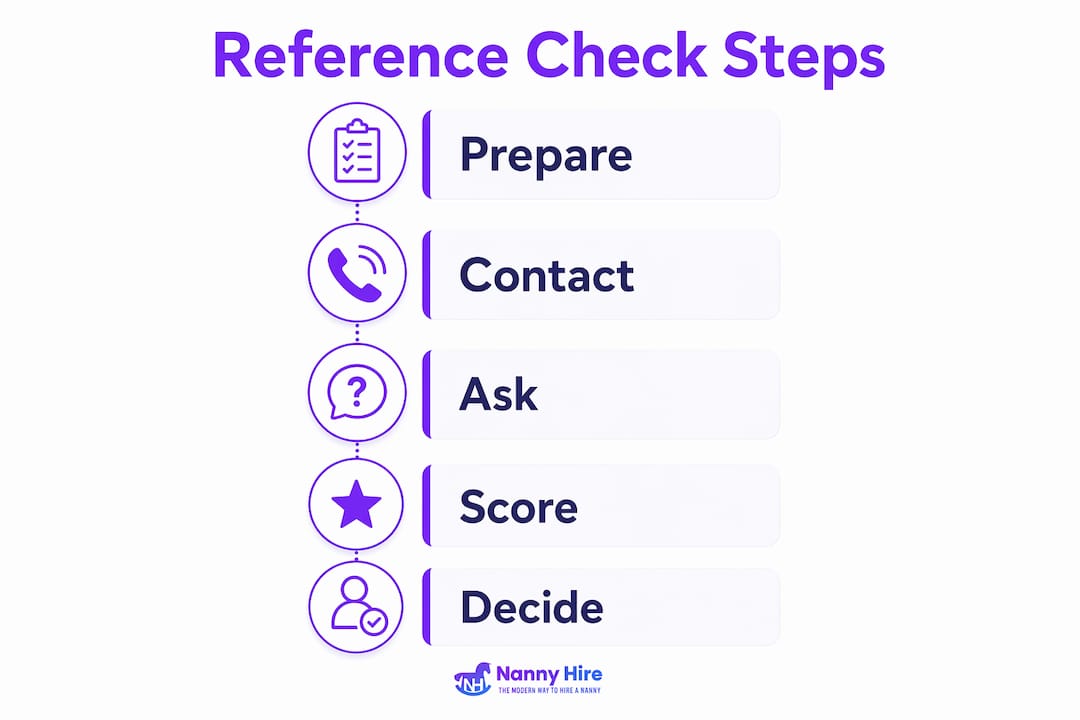
- Day 1: Send the candidate a reference request with the fields you need filled in.
- Days 2–3: Contact each reference by phone or email using your script.
- Days 3–5: Complete calls, record scores, and note any red flags.
- Day 6: Review scores across all references and compare candidates.
- Day 7: Extend a conditional offer or move to the next candidate.
Store reference notes in a secure, password-protected document or directly inside Nannyhire's candidate tracking tools. Only the hiring parent (and a co-parent if applicable) should have access. Keep records for at least six months after a hire decision in case questions arise later.
Pro Tip: Set a calendar reminder 48 hours after your initial contact attempt. If a reference has not responded, notify the candidate and ask for updated contact information. Inability to produce reachable references is itself a warning sign worth noting in your records.
Printable reference-check form and hiring checklist
The one-page reference-check form below covers every field you need. Print one copy per reference, per candidate.
| Section | What to Fill In |
|---|---|
| Header | Candidate name, reference check date, your name |
| Reference contact block | Name, role, phone, email, best contact time |
| Employment verification | Start date, end date, ages cared for, primary duties |
| Scored dimensions | Reliability, child rapport, competence, communication (score 1–3 each) |
| Notes | Verbatim quotes or specific examples from the call |
| Recommendation | Hire / Hold / Do Not Hire, with a one-line reason |
Use the checklist below to confirm you have completed every vetting step before extending an offer:
- a few childcare references collected and contact details verified
- All reference calls or emails completed and scored
- Employment dates confirmed against candidate's stated history
- Red flags documented and addressed (or ruled out)
- Professional background check ordered or completed
- DMV check completed (if candidate will drive children)
- Reference notes stored securely
Families using Nannyhire can import this form directly into the platform's candidate profiles, keeping every reference score alongside interview notes and background check results in one place. See a sample candidate profile to understand how the fields map.
Key Takeaways
A complete nanny reference list requires at least 2–3 childcare references per candidate, a consistent set of recorded fields, scripted questions, and a scoring rubric applied before any offer is made.
| Point | Details |
|---|---|
| Collect at least 2–3 childcare references | Prioritize direct employer families; accept supervisors or instructors for first-time candidates. |
| Record ten specific fields | Capture name, role, dates, duties, ages, reason for leaving, and permission to contact. |
| Use scripted questions in order | Start with verification, then move to temperament, reliability, and fit. |
| Score consistently before deciding | Apply a 1–3 rubric across reliability, child rapport, competence, and communication; set a pass threshold first. |
| Nannyhire centralizes the process | The platform's templates, scoring tools, and candidate profiles keep every reference check organized in one place. |
The part most families skip — and why it costs them
Most parents spend weeks reading resumes and perfecting interview questions, then rush through references in a single afternoon. That order makes sense emotionally — by the time you love a candidate, you want to confirm what you already believe. But that is exactly when reference checks do their most important work.
A reference who hesitates before answering "Would you hire her again?" is telling you something. A reference who cannot recall specific examples of how the candidate handled a sick child is telling you something. The scoring rubric is not bureaucracy — it is a tool that keeps you honest when your gut is already leaning toward yes.
The families who skip structured reference checks are not careless. They are busy, and the process feels like a formality after a great interview. Building a proper nanny employment references system, with scripts and scores, is what separates a confident hire from a hopeful one.
Nannyhire takes the manual work out of reference checks
Pulling together a reference-check form, a scoring rubric, and a candidate tracking system from scratch takes time most families do not have. Nannyhire was built specifically for this — by a working mom who wanted the transparency of a thorough vetting process without the cost and rigidity of a traditional agency.
The platform gives you a job board to find candidates, built-in reference-check templates, age-adaptive scoring, and a candidate profile system that keeps every reference score, interview note, and background check result in one place. You can see how it all fits together before you commit to anything. When you are ready to move from reference checks to a final offer, Nannyhire's tools carry you through every step. Get started today and hire with confidence, not guesswork.
Useful sources and templates
The research and templates behind this guide draw from a small set of authoritative sources. Use them to go deeper or print additional forms.
| Source | What It Offers |
|---|---|
| CanadianNanny.ca — How to Check Nanny References | Industry guidance on reference quantity, question style, confidentiality, and handling unreachable contacts |
| HomeworkSolutions — Nanny Reference Checking | Structured advice on verification-first question order and pairing references with background and DMV checks |
| Nannyhire — Reference Questions Guide | Ready-to-use question list for live reference calls, organized by category |
| Nannyhire — Nanny References Best Practices | Complete internal hiring workflow guide covering references, scoring, and next steps |
| Nannyhire — Sample Candidate Profile | Shows how reference fields and scores appear inside the platform's candidate tracking system |
For families who want additional sample questions and legal considerations around DMV checks, the HomeworkSolutions guide covers both in practical detail. To skip the manual setup entirely, import the printable form fields directly into Nannyhire and let the platform manage the rest.